Cosmwasm & Beaker
Deploying Cosmwasm Contracts to the testnet with Beaker
Beaker's last release was v0.1.8 (November 2023). For new contracts, use cw-orchestrator with the Quickstart. This page remains as a reference for projects already built on Beaker.
The following guide will show you how to create and deploy a Cosmwasm smart contract to the Osmosis testnet. The testnet is permissionless by default to allow developers to test their contracts on a live environment. The Osmosis mainnet is permissioned meaning that you will need to submit a governance proposal in order to deploy to it.
Requirements
Install Beaker
Beaker is available via cargo which is a rust toolchain. Once cargo is ready on your machine, run:
cargo install beaker
Scaffolding your new dapp project
In the directory you want your project to reside, run:
beaker new counter-dapp
For detailed information about Beaker, see the Beaker reference.
Your first CosmWasm contract with Beaker
After that we can create a new contract (the command uses template from cw-template)
cd counter-dapp
beaker wasm new counter
Deploy contract on permissionless network
The testnet is permissionless by default in order to allow developers to easily deploy contracts.
beaker wasm deploy counter --signer-account test1 --network testnet --no-wasm-opt --raw '{ "count": 0 }' --label 'My first Beaker Contract'
Note how we added --network testnet to tell beaker to deploy to the testnet Osmosis chain.
Deploy with an admin
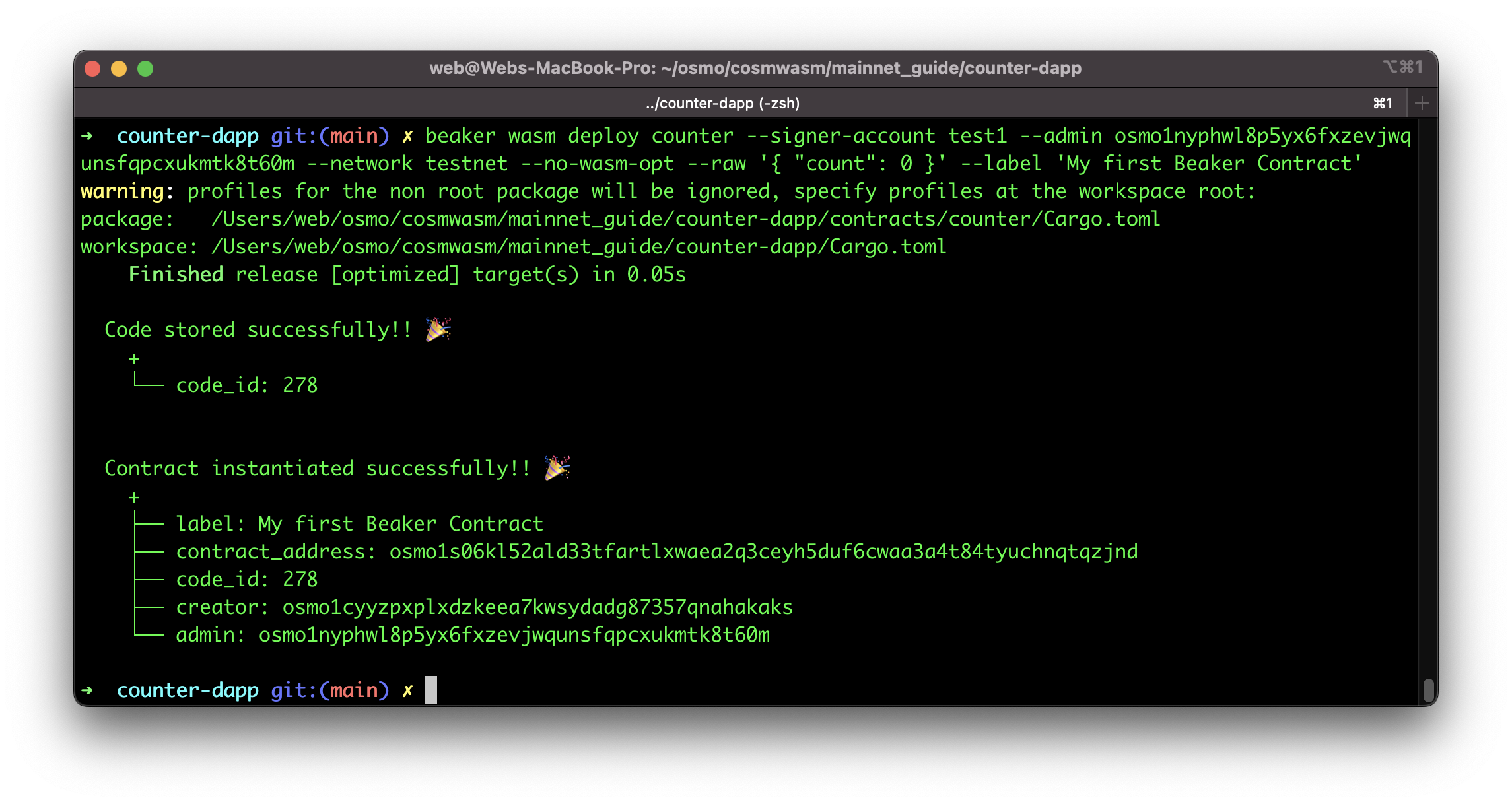
In this example we are using osmo1nyphwl8p5yx6fxzevjwqunsfqpcxukmtk8t60m which is the address from the beaker test1 account as seen in the config.rs file.
Please note that account test1 is publicly available as documented in the global config reference and only used for development purposes. Beaker also supports signing from the OS keyring (see Using the OS keyring below).
beaker wasm deploy counter --signer-account test1 --admin osmo1nyphwl8p5yx6fxzevjwqunsfqpcxukmtk8t60m --network testnet --no-wasm-opt --raw '{ "count": 0 }' --label 'My first Beaker Contract'
Deploy contract via governance
Beaker's beaker wasm proposal store-code flow submits a legacy (gov v1beta1) wasm proposal, which current Osmosis networks no longer route, so it cannot succeed. To store contract code through governance, follow Submit a CosmWasm Governance Proposal, which walks through building the contract, submitting the store-code proposal with osmosisd, and voting on it. Background on wasm governance is available in the official CosmWasm docs.
You can track a proposal on the Mintscan testnet explorer or query it directly from the testnet LCD, for example:
https://lcd.testnet.osmosis.zone/cosmos/gov/v1/proposals/<proposal_id>
Signers
In the examples above we used the test1 account to sign transactions. However, Beaker supports 3 options for signing transactions as shown on the official README.
--signer-accountinput of this option refer to the accounts defined in the config file, which is not encrypted, so it should be used only for testing--signer-mnemonicinput of this option is the raw mnemonic string to construct a signer--signer-private-keyinput of this option is the same as--signer-mnemonicexcept it expects base64 encoded private key--signer-keyringuse the OS secure store as backend to securely store your key. To manage them, you can find more information here.
Using the OS keyring
Let's dive a little deeper on how to use the OS keyring in order to sign a transaction with your OS keyring.
First of all you can import an account by running:
beaker key set account1 'MNEMONIC'
or
beaker key set account1 'cable often loyal ozone master disorder gospel brief pool stairs lion sport urge copy myth exit toddler urban what live column deal vehicle hip'
Please note that Beaker supports 24-word mnemonics only.
This created a new account called account1. On Macs you are able to see this account in the keychain under the name of beaker
This document is constantly being updated and improved, please let us know on Github if you have any questions!